Donutfy Learning Center
Getting Started with Donutfy
How To Sign Up and Set Up Your Account
Setting Up Your Donut Shop
How To Customize Your Shop’s Profile
Adding Shop Hours and Location
Order Management
How To View, Process, and Fulfill Orders in Real-Time
Reward System
How Does the Point System Work
Earning Points- Customers earn points based on the amount spent on each purchase.
- The earn rate (points earned per dollar spent) can be configured by the admin.
- Points are automatically credited to the customer's account after the purchase is completed.
- Points are only earned on the portion of the purchase paid using non-point payment methods (cash, card, etc.). No points are earned on the portion of the purchase that is covered by points.
- Points can be redeemed as a dollar-equivalent discount on future purchases.
- The redeem rate (how much each point is worth in dollars) is configurable by the admin.
- Customers need a minimum number of points to redeem rewards, which can be set by the admin.
- When points are redeemed, the purchase total is reduced based on the value of the points used.
Customer Engagement Tools
View previous Orders, Adding Favorites, Saving Payment Method
Integrations and Payment Setup
How to set up payment processing and integrate with Stripe
Quick View of interfaces
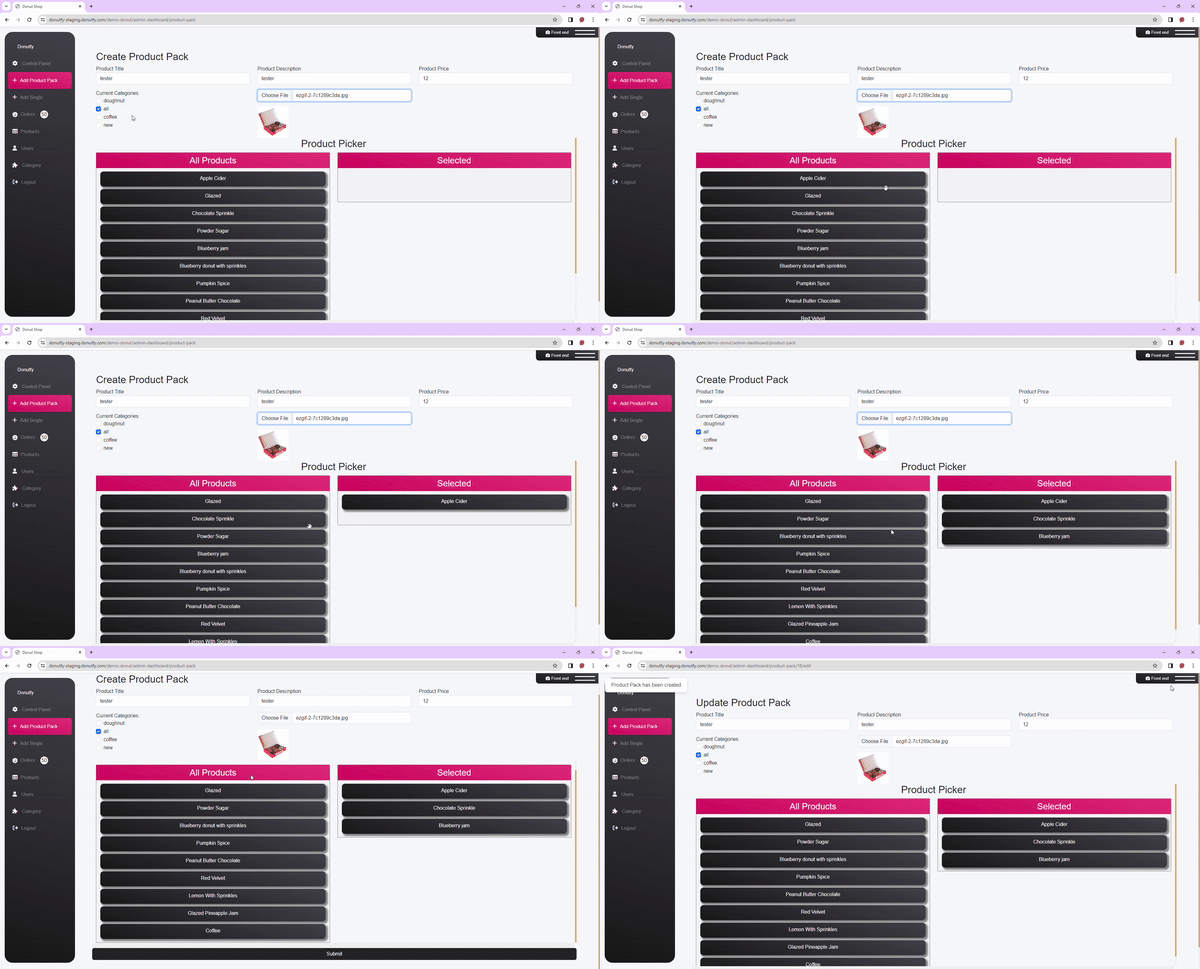
Creating Donut Packs
Donut packs can be configured at with any donut choice amount and price. How you configure your donut Pack
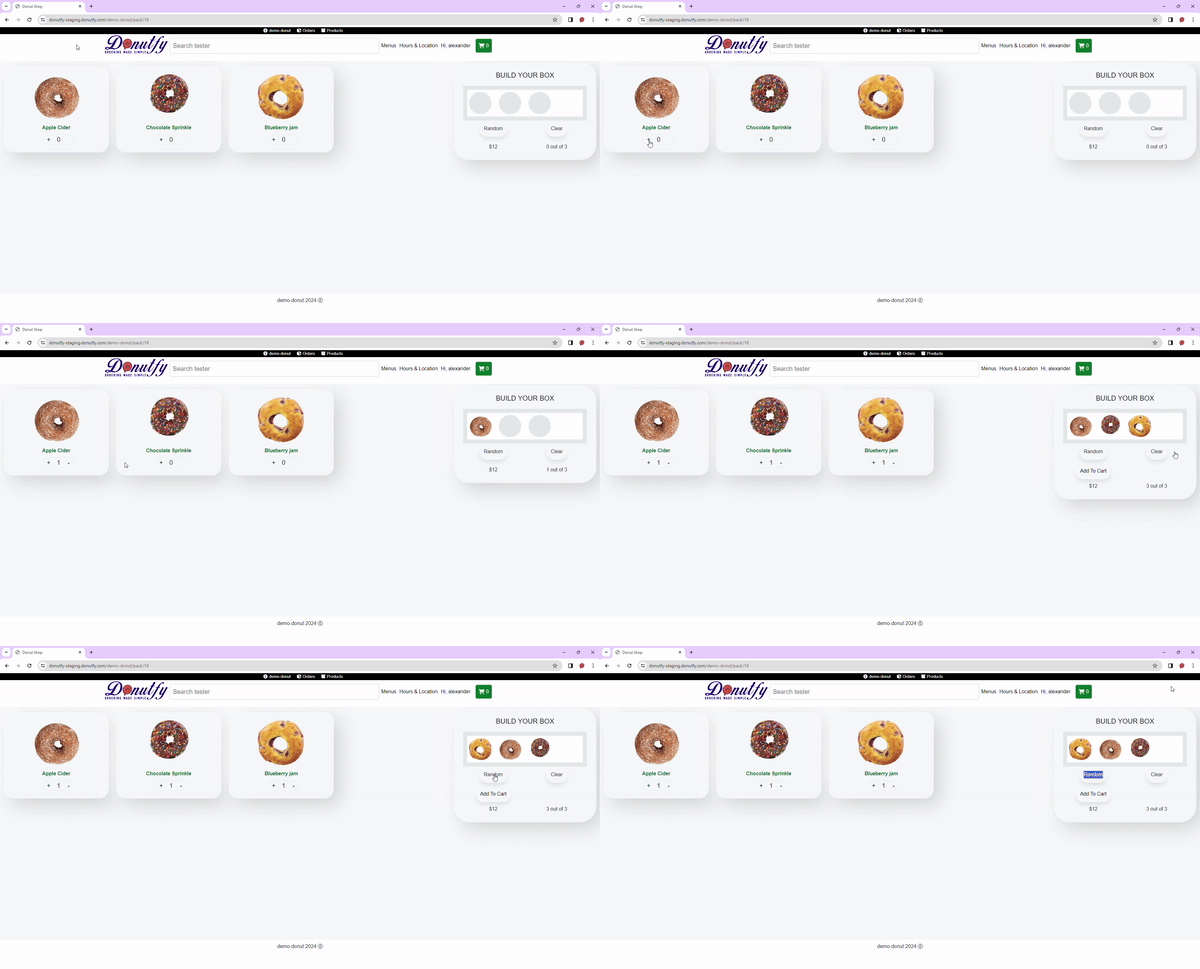
Front End
The user can quickly add their own combination or they can click random for the app to create its own combination.
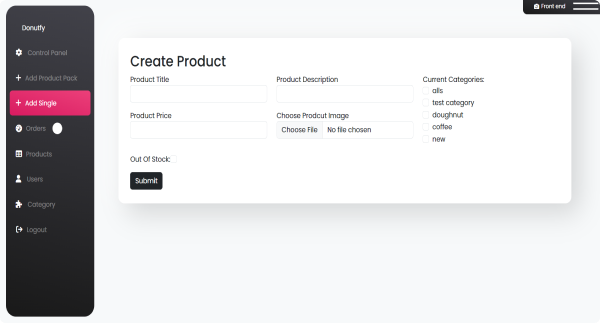
Creating Single Products
Donut packs can be configured at with any donut choice amount and price. How you configure your donut Pack
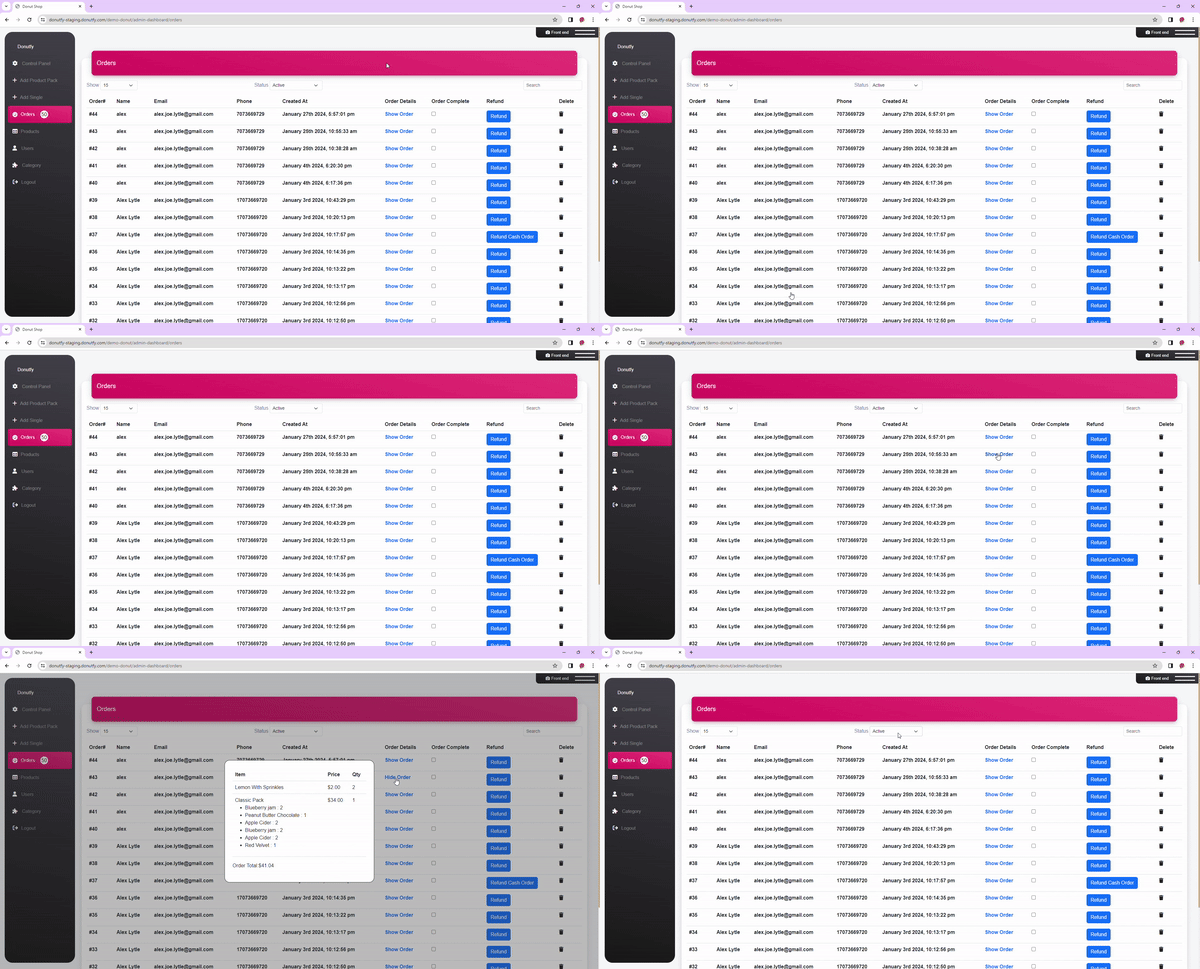
Dealing with orders
The user can quickly add their own combination or they can click random for the app to create its own combination.
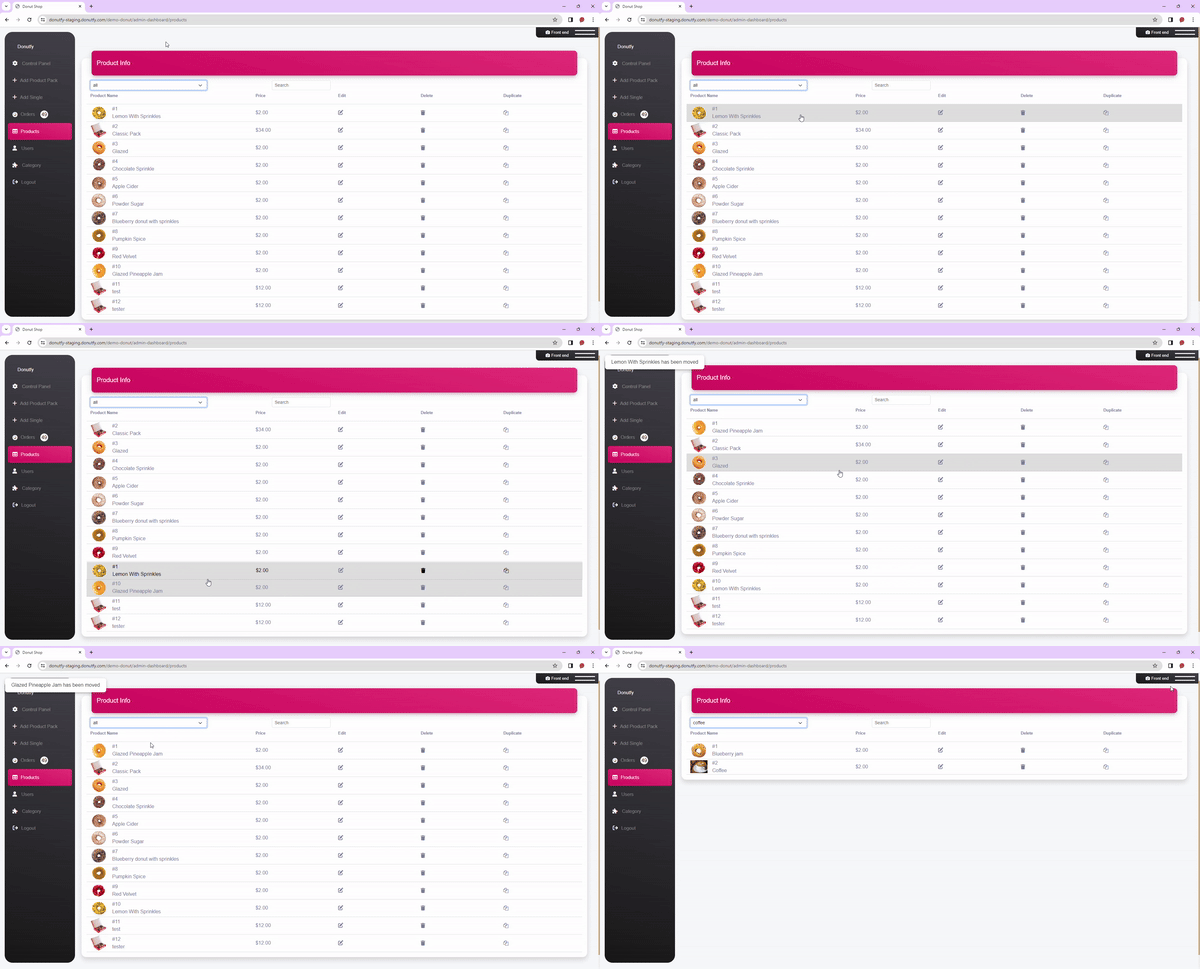
Dealing with Products
Donut packs can be configured at with any donut choice amount and price. How you configure your donut Pack